
Anytime You Need a Design, Simply Request It
Step 1
You Request it
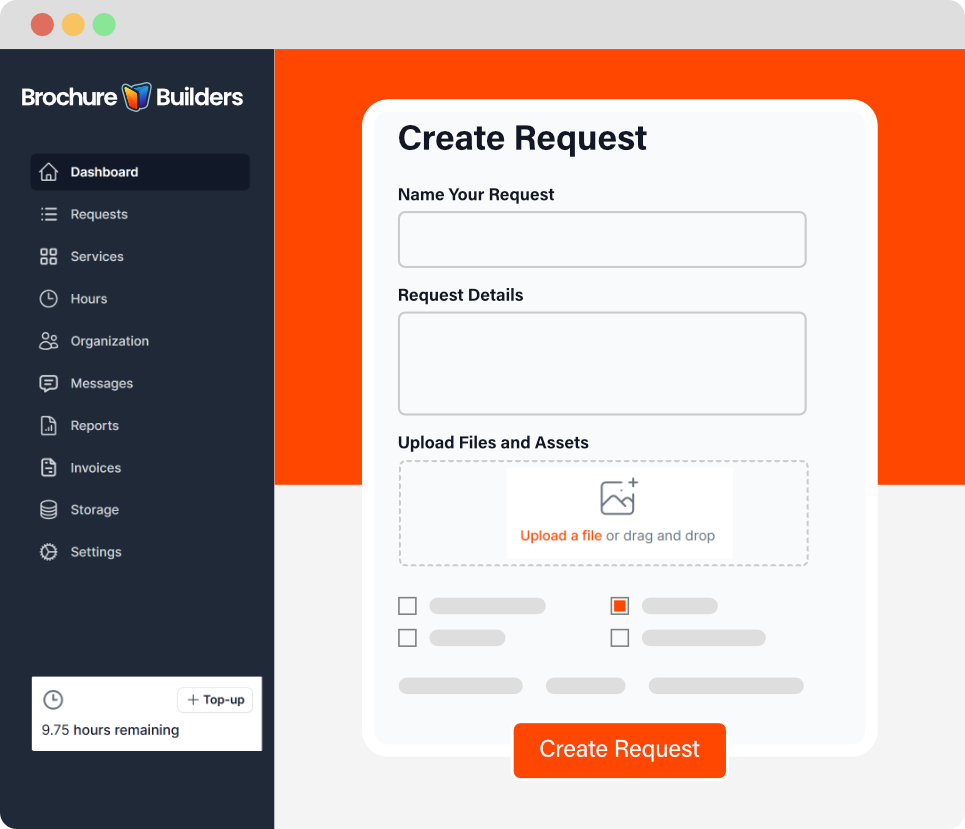
To begin, sign in to your portal and click Create Request. Fill out the request brief to explain what you need and upload any content you have (text, images, examples, or your current files).
It is also important to let us know if you have a hard deadline (Tradeshow, event, etc.)
PRO TIP: Tell us how it will be used (sales meetings, trade shows, email, leave‑behind) Who the target audience is and what you want them to do, CTA. We’ll design the layout and file formats for that use.
Step 2
We Design it
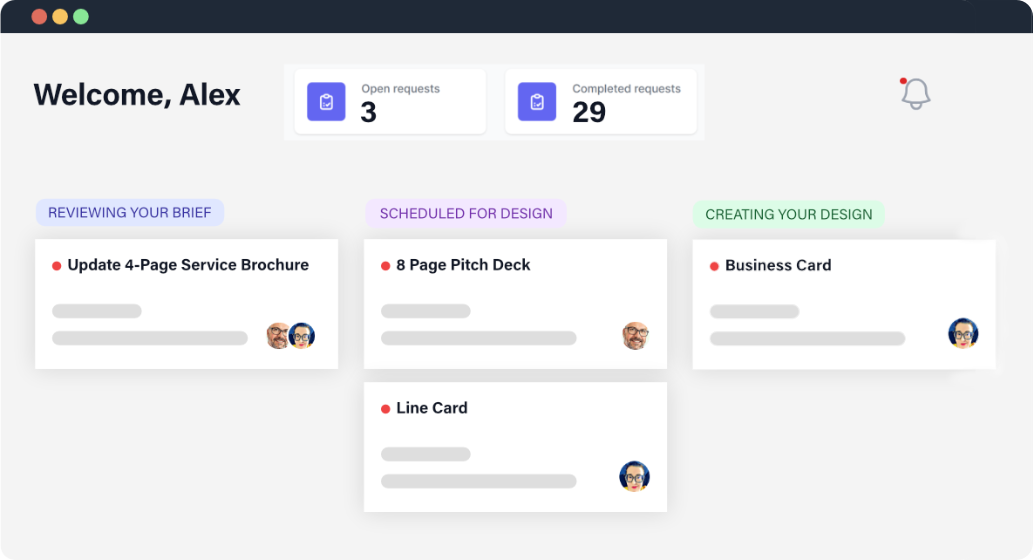
Our team creates your design with a clean layout, strong visuals, and messaging. As we work, the portal keeps you in the loop with real-time stage updates, so you always know what step your request is in.
PRO TIP: You’ll always get a clear breakdown of where your Time Block time goes, so every minute is accounted for.
Step 3
Point & Click Feedback
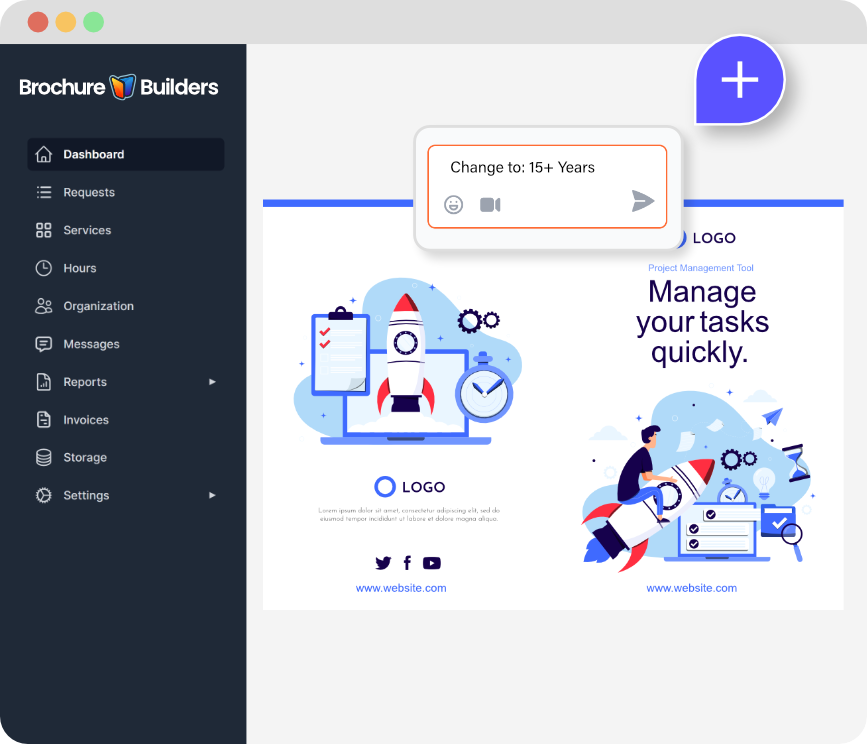
Your portal notifies you when a design is ready. Click on the proof and pin comments exactly where you want changes. No long email threads. No missed notes. Everyone stays on the same page.
- Faster revisions
- Clearer communication
- Fewer mistakes
- Quicker approvals
Step 4
File Handoff
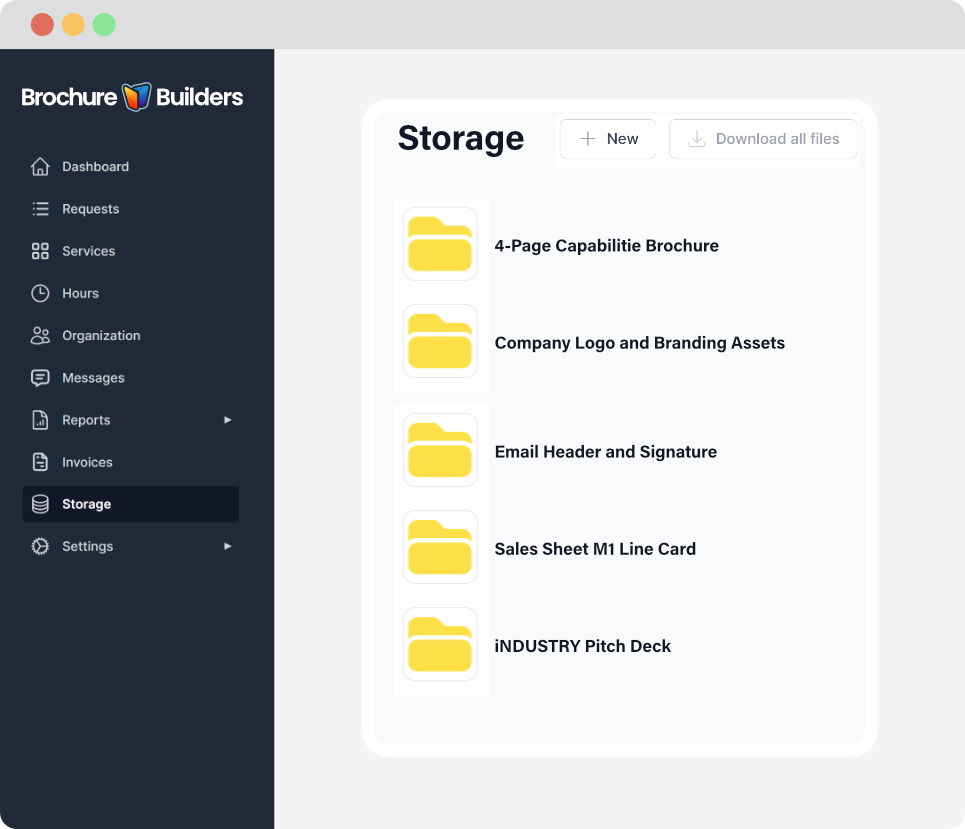
When everything looks right, approve the design in the portal. We’ll package your final files so they’re easy for you to access anytime in your client portal. If you need printing services, we can handle that too.
PRO TIP: Tell us how you plan to use the piece (email, sales meetings, trade shows, print). We’ll package the right file types for each use.
Step 5
We Print it
We can handle printing and shipping, so you don’t have to manage another vendor. Tell us how many you need and where they should go, and we’ll send you a clear printing quote before we move forward. You can track your print job in your portal.
PRO TIP: Tell us how many you need and what date you need them in hand so we can get the best price and recommend faster print and shipping options if needed.
How does the on‑demand design portal work?
Your portal is your all-in-one workspace for design. You submit a request (project), upload content and brand assets, and track progress on any request. When the proof is ready, you review it, pin feedback directly on the design, approve when it’s right, and download your final files anytime. You can also request any design to be printed. Everything stays organized in one place.
Do I always need to have an active project?
No. You can submit requests whenever you need them, and you don’t have to keep a project active if you’re busy or waiting on internal approvals. Any unused time never expires, your portal stays available, your past projects and files stay organized, and you can start the next request when you’re ready.
How many active requests can I have at one time?
You can have up to 3 active requests at a time. Any additional requests you submit will be placed in a Queue status. As soon as one active project is completed, the next request in your queue automatically becomes active. If priorities change, you can reorder your queued requests so the most important item becomes active next.
What should I include in a request to get the best results?
Include anything that helps us understand what you need and what “done” looks like: your goal (who it’s for and how it will be used), any required text, logos/brand guidelines, images (if you have them), a website link, examples you like, and any must-have details (specs, services, contact info, etc.). If you don’t have everything, submit what you do have; rough notes are fine, and we’ll guide you from there.
PRO TIP: Once you provide your logo, you don’t need to include it with every request.
How do I leave feedback and approvals?
When a proof is ready, your portal notifies you. You’ll open the proof and pin comments exactly where changes are needed, so feedback is clear and nothing gets missed. Once everything looks right, you approve it in the portal and we’ll package your final files for easy download and future access.
How long do revision rounds take?
Revisions are often turned around within 24 hours, depending on the size of the changes and what’s in the queue. The fastest way to speed things up is to pin clear comments directly on the proof. This leads to fewer back-and-forth messages, fewer missed notes, and quicker approvals.
How does Time Block time tracking work?
Time Blocks let you buy design time and use it when you need it. We deduct time only as work is completed, and your portal shows time used per request plus your remaining balance in real time. That means you always know where the time went and how much you have left, no guessing.
How much does printing cost?
Printing varies based on the piece, paper options, and quantity. Before we order anything, we’ll provide printing cost options for different quantities so you can choose what works best. Printing is billed separately. We’ll issue a separate invoice, and once it’s paid we place the order, track the print job, and update you when it ships (including shipping details in your portal).
Got Questions?
We have put together some of the best questions ever asked by clients, friends, and competitors. Please take a look at our FAQ page to learn more.
